
We connected a WhatsApp number to the Cloud API, registered it, wired the webhook, published two Flows, added a payment method, and set the profile. It worked, but only after a string of errors that Meta never explains. This is the whole record: what broke, the exact message you will see, and the fix.
Every error below is quoted as it appeared in the browser or the server log.
What we built
A WhatsApp bot for a Nigerian bill payment business. A customer messages the business number and the bot replies with a Flow, an in-app form, where they buy airtime, data, cable, or electricity. The number sells nothing new: it mirrors an existing product. The backend is Node.js with a webhook for messages and a second endpoint that powers the Flows.
That is the shape. Now the traps.
Are you using the Application Programming Interface (API) at all?
The first wall is the one most people hit.
The message
undefinedCouldn't send the test message. Please try again.That is all the App Dashboard says. No code, no reason. The Application Programming Interface (API) is more honest, and stranger:
{"error":{"message":"Unsupported request - method type: post","code":100,"type":"GraphMethodException","fbtrace_id":"..."}}The endpoint takes a POST. The reply says the method is unsupported.
One response header made it look like a network fault and sent us chasing one:
undefinedproxy-status: http_request_errorThe cause
The token had been generated under a system user that had the app but not the WhatsApp Business Account (WABA). Meta's Access Tokens guide says an Employee system user must be granted each account individually, and that a missing grant returns error code 200. We got 100 instead. The documented signal and the real one do not match.
The fix
Create or use an Admin system user. Admin users inherit every account in the portfolio. If you keep an Employee user, open it, click Assign assets, pick WhatsApp accounts, and set Full access. Then generate the token again.
The diagnostic that cracked it
curl -s "https://graph.facebook.com/v25.0/me" -H "Authorization: Bearer {token}"If that returns a system user you did not choose, that is the bug.
A neighbouring error you may hit first, when the system user has no role on the app:
undefinedAssign an app role to the system user or select another app to continue.That one appears in the Generate token dialog. Fix it under Assign assets, on the Apps tab, by giving the system user Manage app.
The token trap: scopes are not account access
Meta applies two permission layers and they look identical in the tooling.
- Scopes, which the token debugger lists as
granted. - Business asset access, which decides whether that system user can touch a specific account.
A token can show every WhatsApp scope as granted and still be unable to send, because the system user was never given the account. Our app had several use cases, which left a stray Conversions API System User lying around, and the token was minted under it.
A second version of the same trap, when the token lacks the right grant entirely:
{"error":{"message":"(#10) Application does not have permission for this action","type":"OAuthException","code":10,"error_data":{"messaging_product":"whatsapp","details":"request denied from WWW with message: Error validating Graph API Permission Checks"}}}We hit that uploading the Flow encryption key with an inherited token. The same upload worked the moment the correct token was in place.
For the related send-message failure caused by a token generated under the wrong system user, see our WhatsApp Cloud API token troubleshooting guide.
You cannot register the number from the User Interface (UI)
Meta states it plainly in the registration reference:
"You can only register a number via the API. You cannot register a number through WhatsApp Manager (WAM) or the App Dashboard."
WhatsApp Manager only adds and verifies the number. The final step is a POST. It also sets the number's two-step verification PIN, which is why the pin parameter is required.
curl -s -X POST "https://graph.facebook.com/v25.0/{phone-number-id}/register" \
  -H "Authorization: Bearer {token}" \
  -H "Content-Type: application/json" \
  -d '{"messaging_product":"whatsapp","pin":"123456"}'
Because the number had no two-step PIN yet, that value became the number's PIN. Save it.
The rate limit nobody reads first: ten registration requests per number in 72 hours. Exceed it and the number is locked for 72 hours with error 133016. Do not retry in a loop.
Webhooks: one subscription is not enough
Verify the callback and the messages field and you are nearly there. The trap is scope. A subscription belongs to one WhatsApp Business Account, and Meta delivers events only for accounts the app is subscribed to.
The fix is one call per account:
curl -s -X POST "https://graph.facebook.com/v25.0/{waba-id}/subscribed_apps" \
  -H "Authorization: Bearer {token}"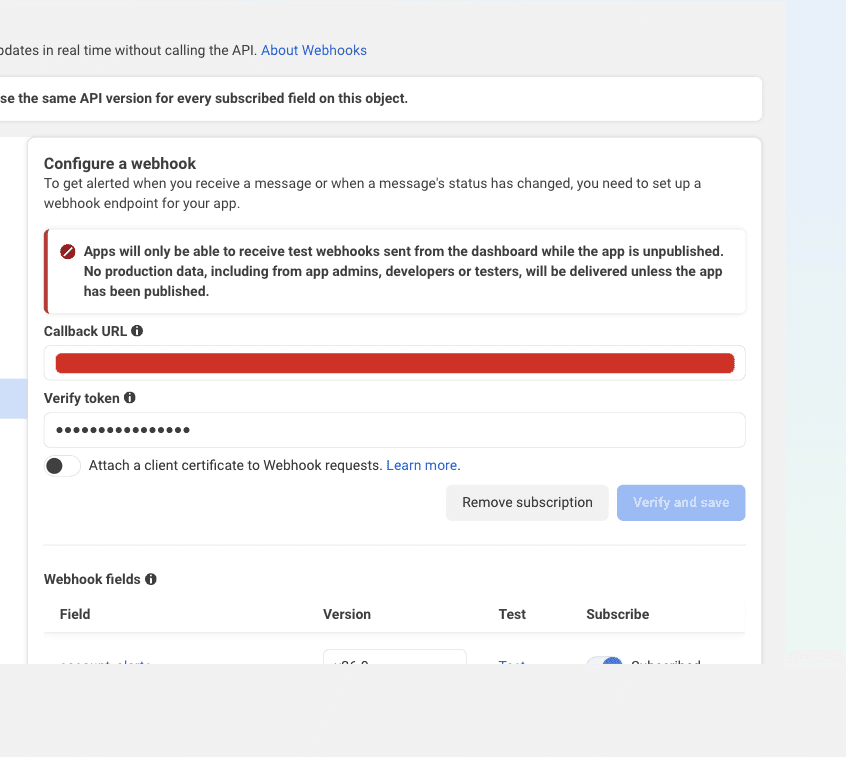
How to tell which account a real message came from: the webhook entry.id is the account ID. New knowledge (first-hand): our inbound event carried entryId: "1368302831115424", which is how we proved the app was subscribed to the wrong account. Read that field first when a message goes missing.
The account ID on the dashboard can be wrong
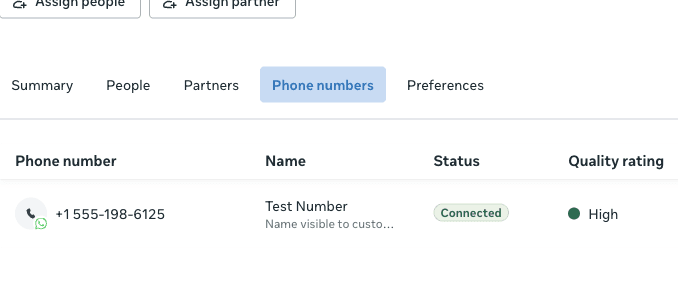
This one cost hours. The App Dashboard showed one account ID. The Graph API returned that same ID. WhatsApp Manager showed the number under a different account ID, and refused to open the first one:
Unable to access WhatsApp Manager with this account
You do not have access to the WhatsApp Business Account 1556863112234806.
Please contact the account owner to request access.
The number was on 1368302831115424, not the ID the dashboard displayed. Trust the API, not the dashboard label, and confirm with:
curl -s "https://graph.facebook.com/v25.0/{waba-id}/phone_numbers?fields=display_phone_number,id" \
  -H "Authorization: Bearer {token}"
Run it for each candidate account. The one that returns your number is the account you own.
Flows: the encryption key is per phone number
Meta's Flows encryption guide is explicit: the public key is set on the Phone Number ID, not the account. If you have several numbers, upload it for each one.
curl -X POST "https://graph.facebook.com/v25.0/{phone-number-id}/whatsapp_business_encryption" \
  -H "Authorization: Bearer {token}" \
  -H "Content-Type: application/x-www-form-urlencoded" \
  --data-urlencode 'business_public_key=-----BEGIN PUBLIC KEY-----
...
-----END PUBLIC KEY-----'
Two more requirements: the number must already be registered, and the key must be 2048-bit RSA. Re-upload it after you re-register the number.
Our own key generation script had the account ID in that URL instead of the phone number ID. The upload then failed with (#10) Application does not have permission, which points at permissions and hides the real mistake.
The Flow error that names the wrong thing
Once the flows existed and the bot tried to send one:
{"error":{"message":"(#131009) Parameter value is not valid","code":131009,"type":"OAuthException","error_data":{"messaging_product":"whatsapp","details":"Parameter \"flow_id\" is invalid. Please check if the flow associated to this id belongs to your WhatsApp Business Account, and it's in a valid state."}}}Translated: the flow belongs to a different account than the number that is sending it. We had published the flows to the account from the dashboard, not the account the number lived on. Publishing them to the correct account fixed it.
The deeper bug was ours. Our publish job skipped any flow whose JSON file hash matched the tracked row:
if (existing && existing.file_hash === fileHash) { /* skip */ }The file had not changed, so the job never noticed the flow belonged to the wrong account and never re-pointed it. The fix re-reads the flow's owning account on each run and replaces the flow when it differs. A null or unreadable response keeps the old behaviour, so a transient Graph error cannot create duplicate flows on every boot.
Flows: "Unexpected services flow screen"
Our server logged this while a customer tried to pay:
WARN: Unexpected services flow screen
screen: "PIN"
The handler only accepted the purchase screens, so a submission from the PIN screen fell through and was never processed. The customer entered a PIN and nothing happened.
The fix maps the echoed service back to its form before the PIN check:
const formScreen =
    args.screen === PIN_SCREEN
        ? SERVICE_TO_FORM_SCREEN[readString(args.data, 'service') ?? '']
        : args.screen
Meta's documented Flow endpoint request carries version, action, screen, data, and flow_token, and the PIN screen submits with screen: "PIN" plus data.component_action: "pin_submit". Handling only the form screen names is the mistake, and the log line is the clue.
HTTP 421: "Decrypted flow request has invalid shape"
ERROR: Failed to decrypt flow endpoint request
err: { message: "Decrypted flow request has invalid shape" }
POST /api/flows/whatsapp 421
Status 421 is the correct response when a Flow request cannot be decrypted, but this one decrypted and then failed validation. A shape error and a key error look the same in a log, so we added a diagnostic that prints field names and types only, never PINs or phone numbers:
undefinedDecrypted flow request has invalid shape: version=string action=string screen=string data={...} flow_token=stringThat line identifies the offending request without leaking values, and it is the first thing to add if you hit 421.
The PIN rules, for the record
- The PIN is exactly 4 digits for this product. Meta's Flow input renders it as a passcode field.
- A wrong PIN keeps the customer on the PIN screen with
Incorrect PIN. 3 attempts remaining. - After 5 failed attempts the account locks for 15 minutes by default. Both numbers are configurable.
- A correct PIN resets the counter.
Publishing the app: three fields you cannot skip
The Publish page showed this until we filled the gaps:
Currently ineligible for submission
Your submission is missing data in the following fields:
App icon (1024 x 1024)
Privacy policy URL
Category
The privacy policy needs a live URL. Our own site returned 404 for every guess, so we published a page at https://ciptopup.ng/waba/privacy-policy. The icon is 1024 by 1024, JPG or PNG. The category is a dropdown.
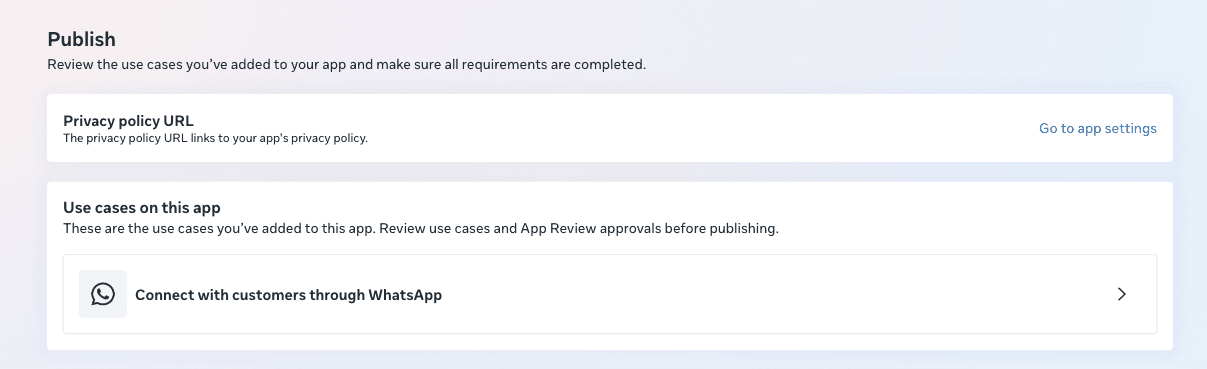
Meta states that for your own business you are a Direct Developer and you do not need App Review or Advanced access. Advanced access only applies when you act on other businesses' accounts.
The payment method is not where you think
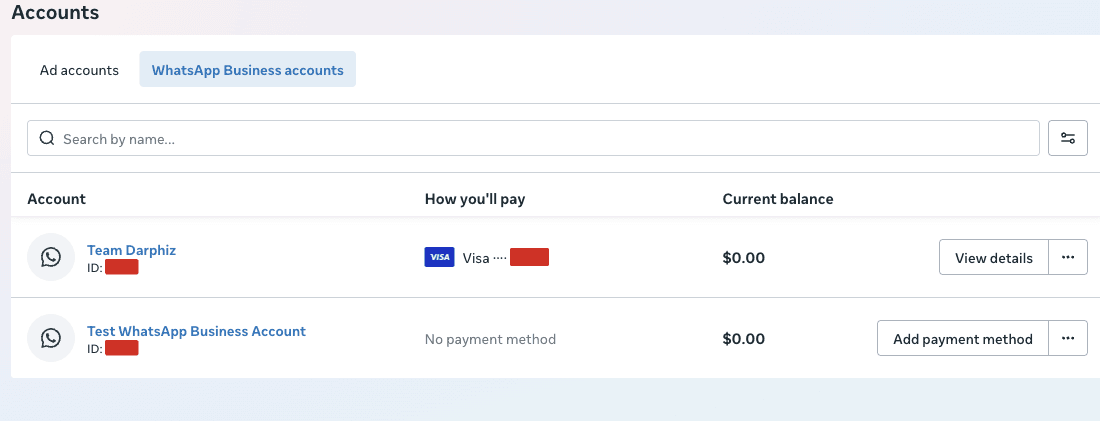
The checklist step links to the Billing Hub, and this is the trap: a card added to an ad account, or even to the business portfolio, does not count. It must sit on the WhatsApp Business Account, and the account section will still read No payment methods added until you add it there.
Then the dangerous part. The dialog opens on a default of Currency: Argentine Peso and Time zone: Denver, and it warns:
"Your location and currency cannot be changed once set."
Set Country: Nigeria, Currency: Nigerian Naira, Time zone: Africa/Lagos before you save, and do not click through on defaults.
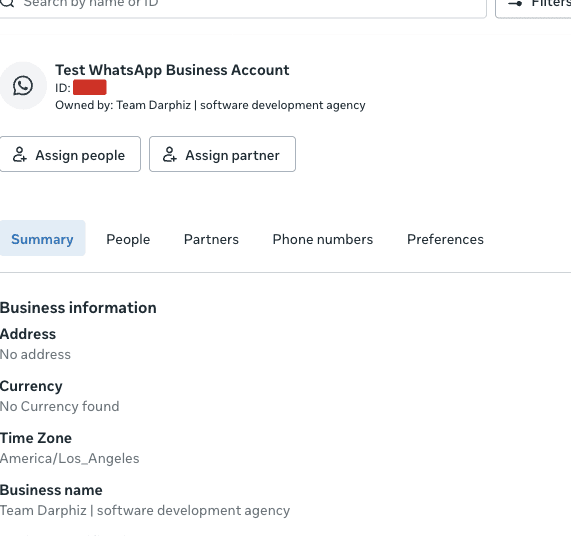
One more thing worth knowing: without a payment method you still get the free service conversation allowance, so a reply-only launch can go live without it.
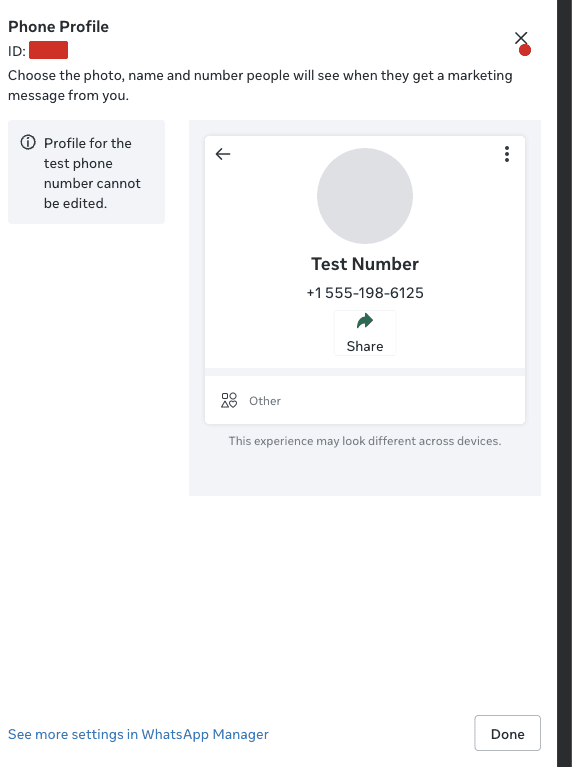
The business profile is an API, and the picture needs a save
Profile fields live on the Phone Number ID:
curl -s "https://graph.facebook.com/v25.0/{phone-number-id}/whatsapp_business_profile?fields=about,address,description,email,profile_picture_url,websites,vertical" \
  -H "Authorization: Bearer {token}"
Two things we learned:
- The profile picture takes a separate save. Choosing a file in WhatsApp Manager shows the filename and a Remove link, but nothing commits until you press Save, and
profile_picture_urlstays absent from the API until then. - Websites are capped at two. We used the main site and the blog. Anything beyond two is rejected.
Three diagnostic errors that look like the cause and are not
While narrowing the send failure we sent deliberately broken requests. These replies are useful because they prove the request reached the handler:
{"error":{"message":"Your request has violated JSON schema constraint 'required' for the main request body(JSON root), please check the JSON schema for the main request body(JSON root) and make sure your request is valid","type":"OAuthException","code":100}}{"error":{"message":"(#100) The parameter messaging_product is required.","type":"OAuthException","code":100,"fbtrace_id":"..."}}{"error":{"message":"(#100) Tried accessing nonexisting field (messages)","type":"OAuthException","code":100,"fbtrace_id":"..."}}The first two prove a POST body reached the endpoint. The third is what a GET returns. None of them is the real failure, so do not stop on any of them.
All the undocumented behaviour in one list
- Registration is API-only. The dashboard has a button, and it can fail.
- A missing account grant returns
100with a method-type message, not the documented200. - A token can show every scope as granted and still lack access to the account.
- The App Dashboard's account ID can disagree with the account that owns the number.
- The Flow encryption key is set per phone number, and re-uploaded after re-registration.
131009means the flow belongs to another account, not that the flow is malformed.- A Flow submission from an unhandled screen falls through silently. The clue is
Unexpected services flow screen. - Flow requests that decrypt but fail validation return
421. - Publishing the app needs an icon, a privacy policy URL, and a category, and nothing else for your own business.
- A payment method must land on the WhatsApp account, and its currency is irreversible once saved.
Limits and exceptions
These notes come from one business, one app, and one number, all in Nigeria. The account IDs, the PIN length, and the payment currency defaults are specific to that setup. Meta changes dashboards often, so treat any menu path here as a starting point and follow the API, which is the stable part.
Nothing here replaces Meta's own references. Where we could, we linked them.
What to do next
Work in this order and you will spend a day, not a week. Register the number by API. Generate an Admin system user token.
Subscribe the app to the correct account. Upload the Flow key per phone number. Then publish the app.
If you would rather have the sending, flows, and number setup handled for you, see how we run WhatsApp for businesses.
That order is the whole lesson. Meta's dashboards mislead; its API does not.
Work with us
We design, build and automate the software Nigerian businesses grow on.
Stay in the loop
Get the latest updates and insights delivered to your inbox.
More like this
WhatsApp Cloud API Registration: Fixing 'Could Not Connect'
You cannot register a number for the WhatsApp Cloud API from the App Dashboard, only from the API. Here is the call that works, the permissions it needs, and the errors you will hit.
Read ArticleWhatsApp Cloud API: number connected, token ready, sends fail
The App Dashboard says your token is generated and the number is connected, then every send fails. Here is the system user fix, step by step.
Read Article